Android Shopping List App-Learning Loads of UI Features
添加Google Maps features
用信用卡注册
API Key
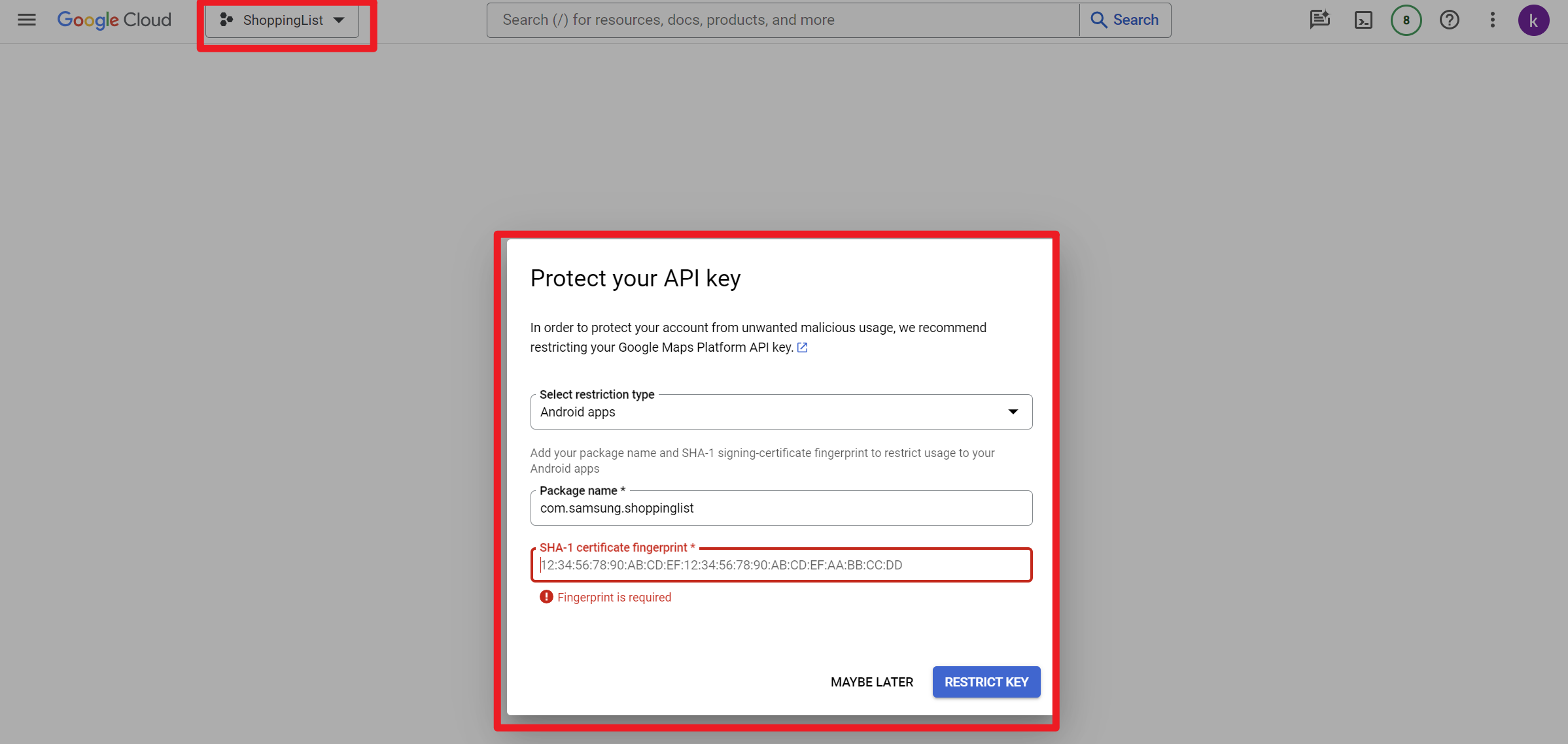
仅限安卓com.samsung.shoppinglist下的traffic
SHA-1 certificate fingerprint获取
在gradle命令行中输入gradle signingreport
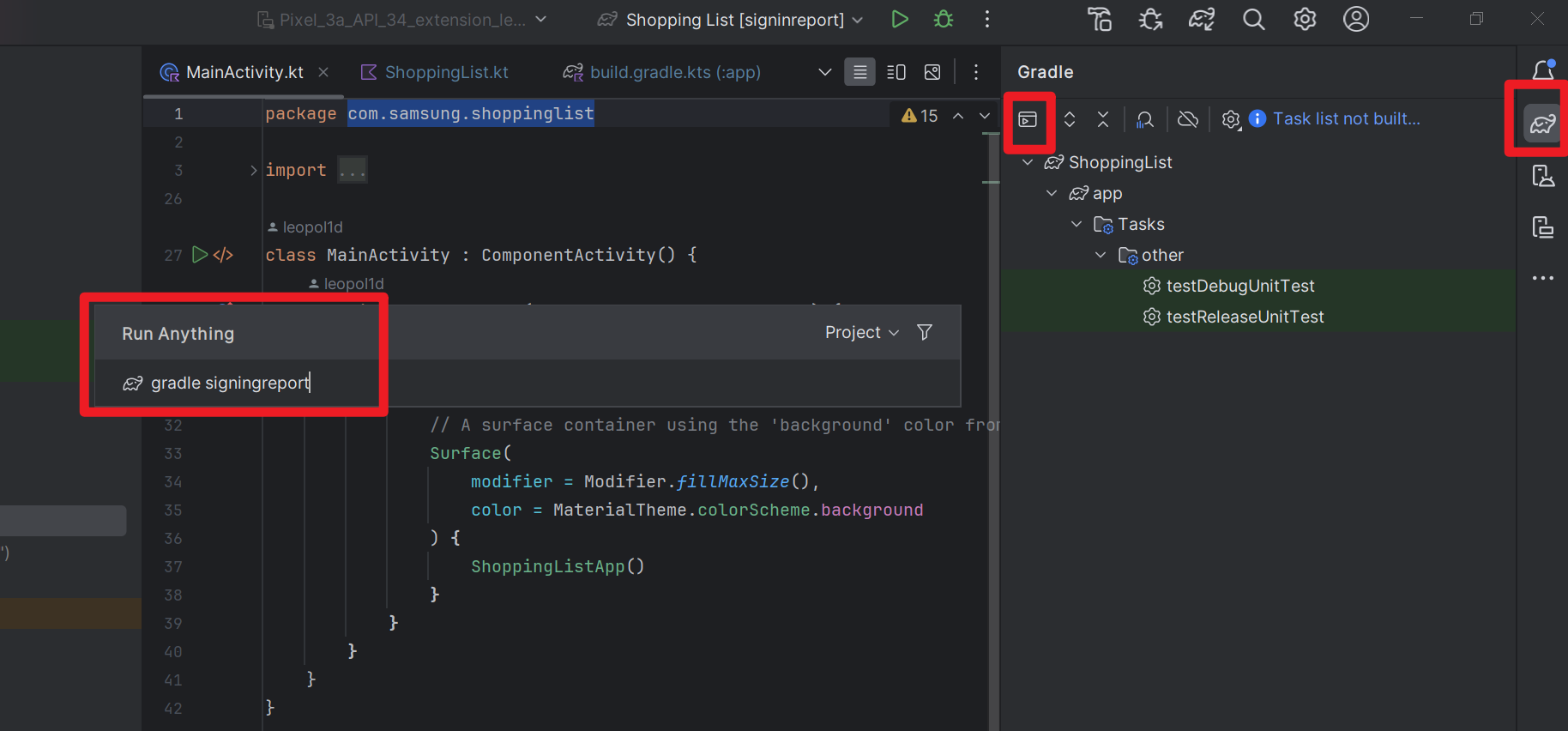
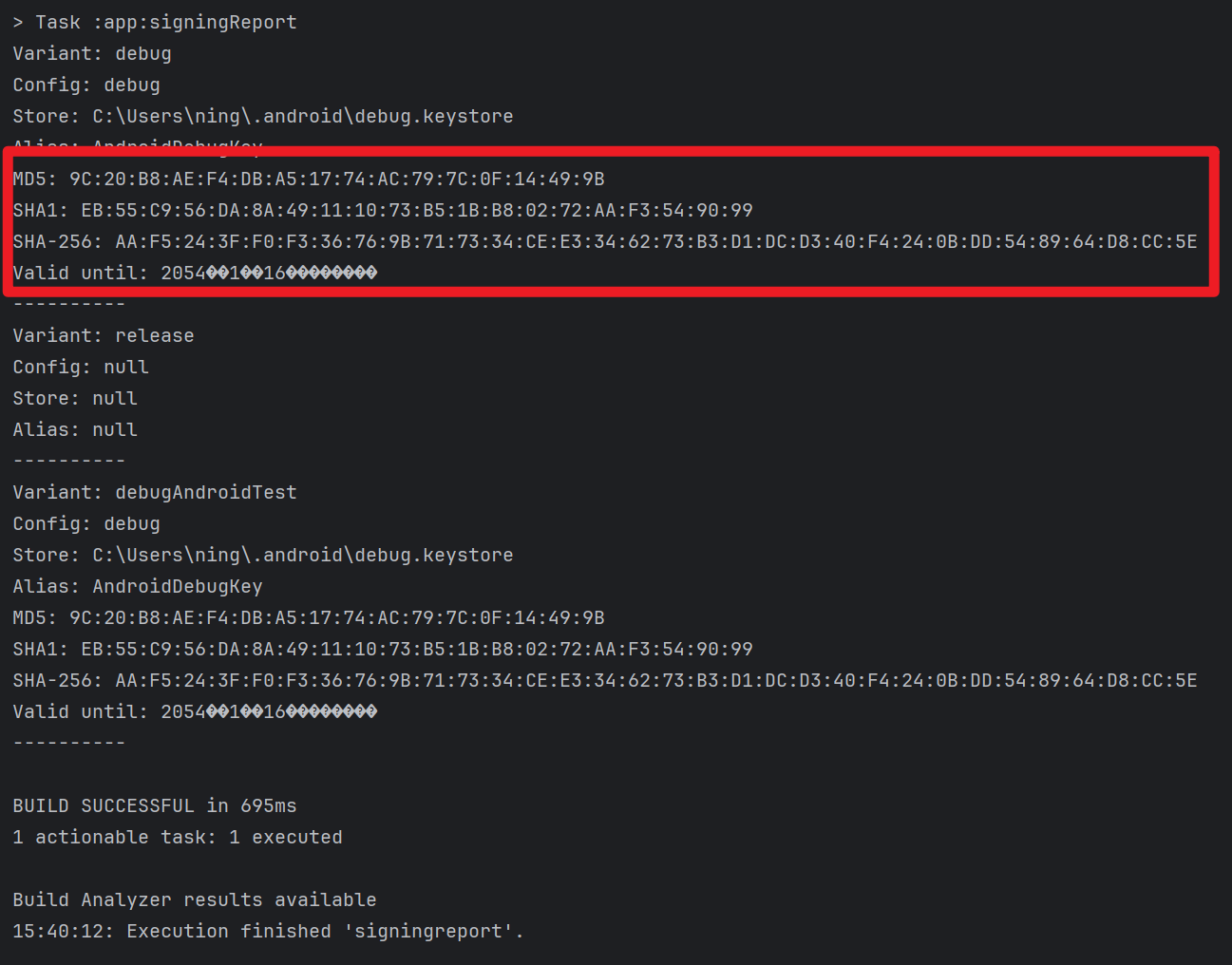
得到SHA-1 certificate fingerprint
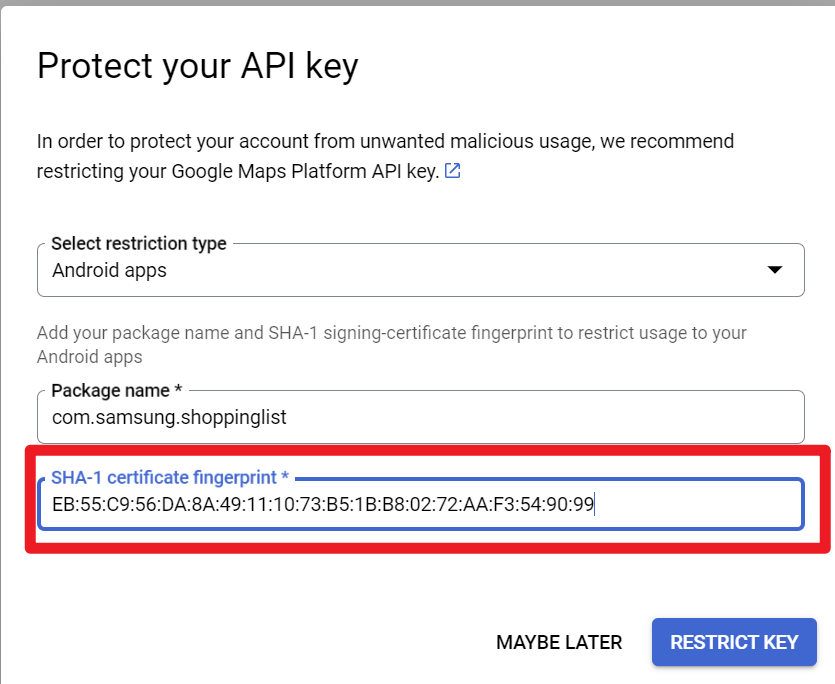
填入
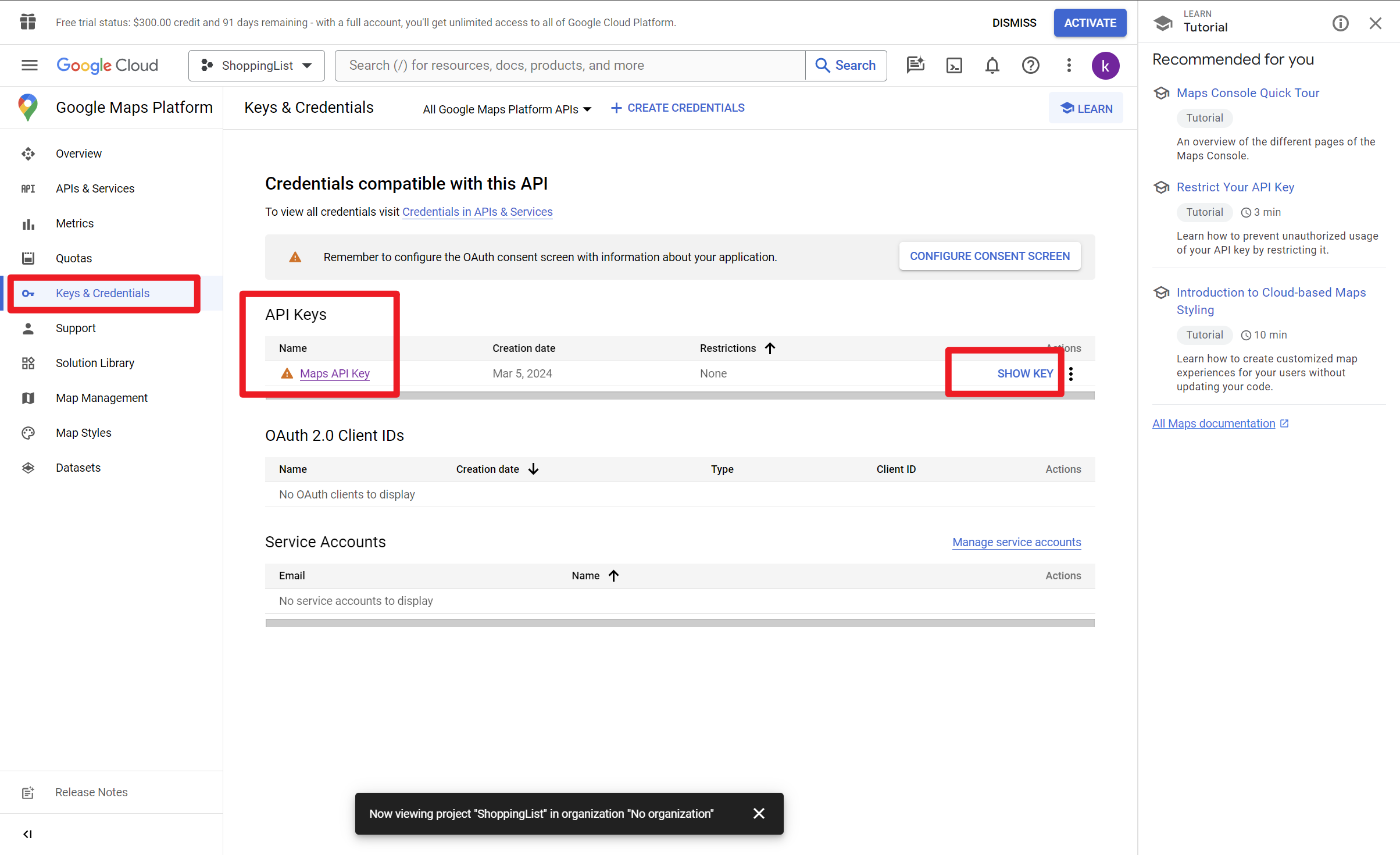
如果忘记api key,可以在Keys & Credentials中查看
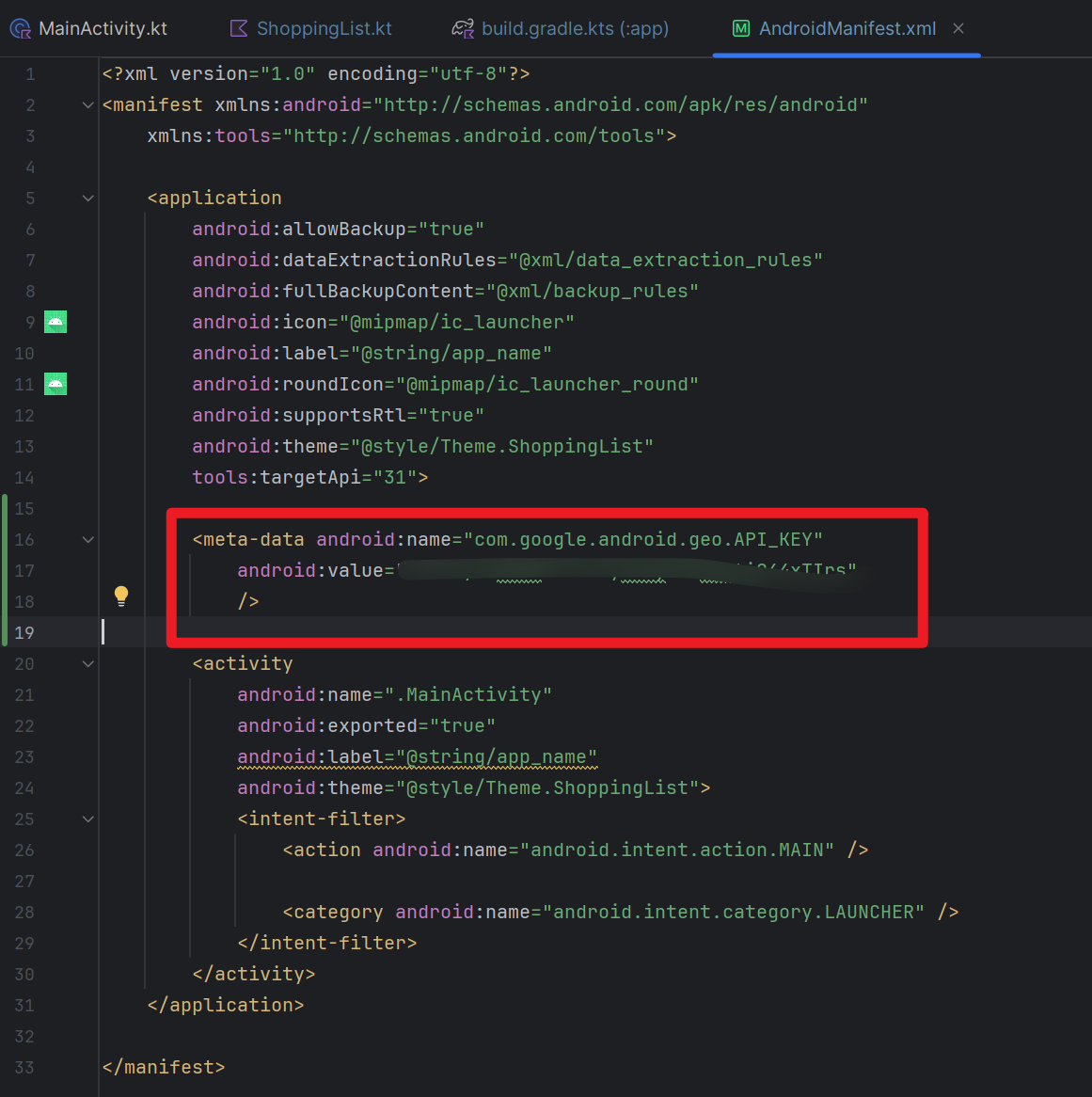
将API KEY记录在AndroidManifest.xml application标签下
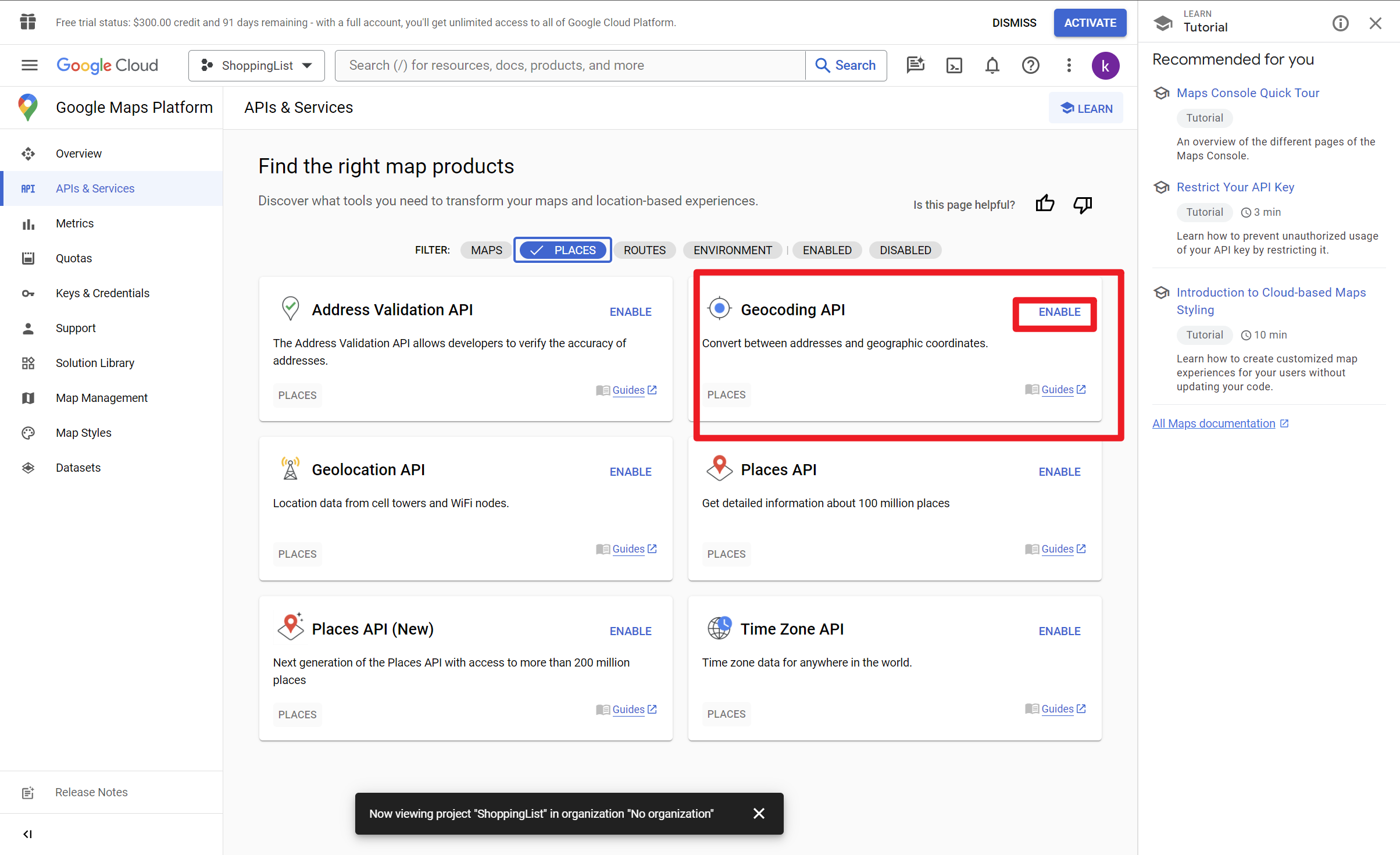
Enable Geocoding API
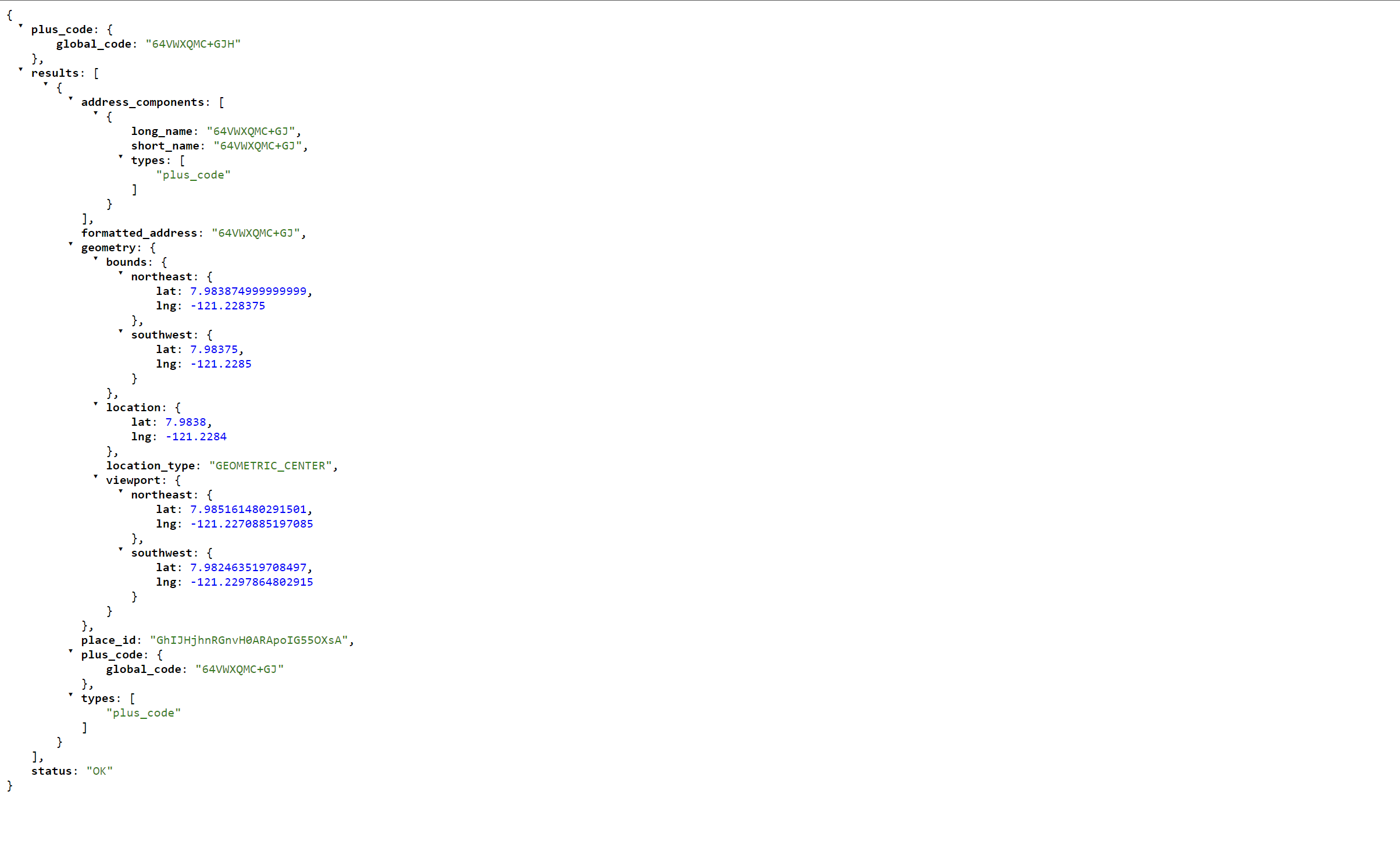
访问API(可能需要打开HTTPS的traffic):https://maps.googleapis.com/maps/api/geocode/json?latlng=7.9838,-121.2284&key=yourapikey,之后的数据类型需要按照以下返回的Json数据进行定义
1
2
3
4
5
6
7
8
9
10
11
12
13
14
15
16
17
18
19
20
21
22
23
24
25
26
27
28
29
30
31
32
33
34
35
36
37
38
39
40
41
42
43
44
45
46
47
48
49
50
51
52
53
54
{
"plus_code": {
"global_code": "64VWXQMC+GJH"
},
"results": [
{
"address_components": [
{
"long_name": "64VWXQMC+GJ",
"short_name": "64VWXQMC+GJ",
"types": [
"plus_code"
]
}
],
"formatted_address": "64VWXQMC+GJ",
"geometry": {
"bounds": {
"northeast": {
"lat": 7.983874999999999,
"lng": -121.228375
},
"southwest": {
"lat": 7.98375,
"lng": -121.2285
}
},
"location": {
"lat": 7.9838,
"lng": -121.2284
},
"location_type": "GEOMETRIC_CENTER",
"viewport": {
"northeast": {
"lat": 7.985161480291501,
"lng": -121.2270885197085
},
"southwest": {
"lat": 7.982463519708497,
"lng": -121.2297864802915
}
}
},
"place_id": "GhIJHjhnRGnvH0ARApoIG55OXsA",
"plus_code": {
"global_code": "64VWXQMC+GJ"
},
"types": [
"plus_code"
]
}
],
"status": "OK"
}
Android Shopping List App-Learning Loads of UI Features
https://leopol1d.github.io/2024/02/21/Android-Shopping-List-App-Learning-Loads-of-UI-Features/